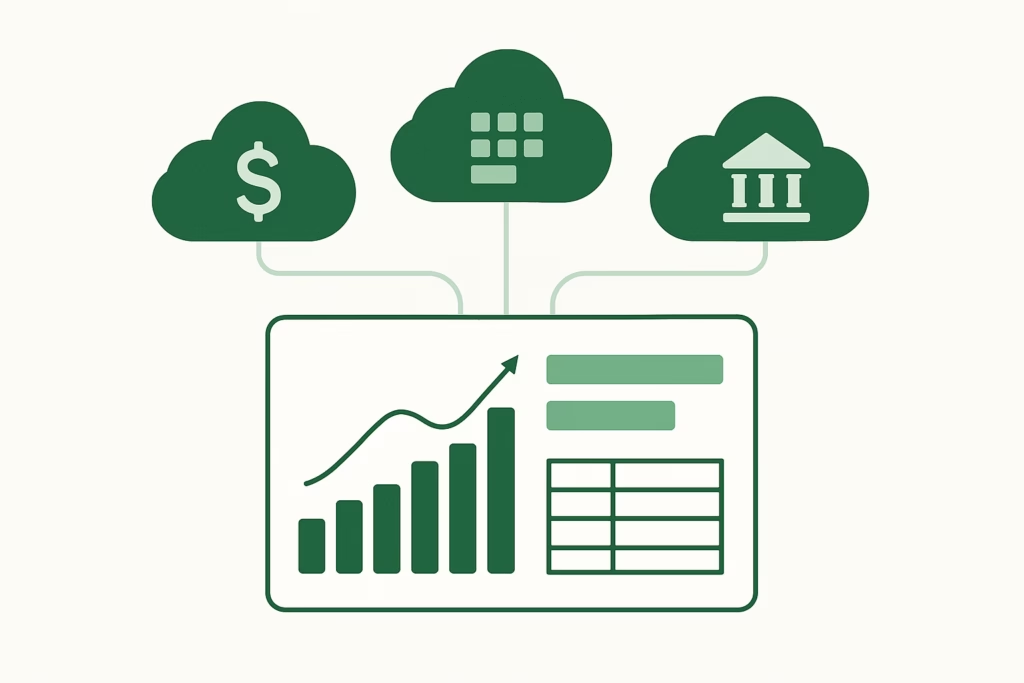
Cloud accounting platforms — Xero, QuickBooks Online, MYOB, Zoho Books — are designed primarily for single-entity bookkeeping: recording transactions, managing payables and receivables, processing payroll, and filing tax returns. As soon as a group’s reporting needs extend beyond any single entity, additional tools are required. The question of how those tools connect to the accounting software — and which integration approach is right for a given group’s scale and complexity — is worth understanding before committing to a reporting architecture.
What Cloud Accounting APIs Actually Expose
Every major cloud accounting platform offers a public API — a programmatic interface through which authorised external applications can read and write data. Understanding what each platform’s API exposes helps evaluate whether a direct API integration will meet your reporting needs.
| Platform | API access | Key financial data available | Authentication |
|---|---|---|---|
| Xero | Full REST API, well-documented, widely used | Trial balance, journal entries, chart of accounts, invoices, bank transactions, contacts | OAuth 2.0 — per-organisation token |
| QuickBooks Online | Full REST API, mature ecosystem | Trial balance, chart of accounts, invoices, transactions, reports | OAuth 2.0 — per-company token |
| MYOB AccountRight | Full API (cloud-enabled files only) | Trial balance, chart of accounts, journals, sales and purchases | OAuth 2.0 — requires cloud-enabled file |
| Zoho Books | Full REST API | Trial balance, chart of accounts, journals, invoices, transactions | OAuth 2.0 |
| QuickBooks Desktop / MYOB Desktop | Limited — local file access only | Trial balance via export; no live API feed | Local connector or CSV export |
The OAuth 2.0 authentication model used by all the cloud platforms means that connecting an external application is a user-authorised action — the accounting organisation’s admin grants the external application specific read (or read/write) access. The external application never sees the user’s password. This is the same model used when a bank connects to an accounting platform for bank feeds.
Automate NCI calculations across all your entities.
BrizoConsol handles non-controlling interest automatically — no manual adjustments required.
App Marketplaces — Curated Integration Ecosystems
Each major cloud accounting platform maintains a marketplace of pre-certified third-party integrations:
- Xero App Marketplace — several thousand listed apps across payroll, payments, inventory, reporting, and consolidation categories; apps are reviewed by Xero before listing
- QuickBooks App Store — similar scope; apps must pass Intuit’s technical certification
- MYOB Partner Program — smaller marketplace but with AU/NZ-relevant apps
Marketplaces are useful for discovery — finding apps that are certified to work with a specific platform and have gone through at least a basic technical review. They are not a guarantee of quality or suitability; the range of apps on offer varies significantly in capability and support quality.
💡 What “certified” means: App marketplace certification typically means the app has been technically reviewed and confirmed to use the API correctly. It doesn’t mean the app has been evaluated for financial reporting accuracy, audit trail standards, or suitability for multi-entity group consolidation. For consolidation-specific requirements, the certification is a necessary but not sufficient criterion.
Template / Excel Import — When APIs Aren’t Available
For entities on desktop accounting systems (QuickBooks Desktop, MYOB Desktop, Sage, older legacy systems), live API connections aren’t available. The practical alternative is a structured Excel or CSV import — the entity exports a trial balance in a defined format, and the consolidation tool imports it alongside the API-connected entities.
This approach works well when:
- The desktop entity’s close process is disciplined enough that the export happens at a consistent point in time
- The template format is standardised and the entity follows it without deviation
- The import is treated as a formal submission step with version control (not an informal email attachment)
For groups with a mix of cloud and desktop entities, a consolidation platform that accepts both API feeds and structured imports allows the full entity set to be included in the same consolidation environment — without requiring migration of desktop entities to cloud before consolidation can proceed.
Middleware / iPaaS Tools — When They Help and When They Don’t
Integration middleware tools (Zapier, Make, Workato, and similar “iPaaS” platforms) offer no-code or low-code connections between cloud applications. They can be useful for simpler data flow automation — syncing contact records, triggering notifications, or moving data between non-accounting tools.
For consolidation-specific integrations, middleware tools are typically not the right approach. The reasons:
- They don’t understand accounting data. Moving a trial balance row from Xero to a spreadsheet via Zapier doesn’t apply COA mapping, handle credit/debit sign conventions, or validate that the balance sheet balances. The data moves, but the accounting logic doesn’t travel with it.
- Audit trail is minimal. Middleware tools log what was sent, not what it meant in accounting terms. Tracing a consolidated line item through a middleware layer is harder than through a purpose-built consolidation tool.
- Error handling is generic. A failed data sync in Zapier produces a generic error. A purpose-built accounting integration identifies specifically which account code didn’t map, which entity submission was incomplete, or which period’s data is missing.
💡 When middleware does work well: Triggering a notification when a Xero period is locked, syncing approved invoices to a payment system, or moving expense data from an expense management tool to an accounting platform. Tasks where accounting context isn’t required and data fidelity can be verified by inspection.
Data Warehouse / ETL — For Enterprise-Scale Groups
For groups with many entities, high transaction volumes, or complex analytical requirements, a data warehouse (Amazon Redshift, Snowflake, Google BigQuery) with ETL pipelines pulling from each accounting system provides a central repository for all financial data. This supports advanced BI tools (Tableau, Power BI, Looker) and allows SQL-based analysis across all entities.
This architecture is powerful but comes with significant overhead: data engineering resources to build and maintain the pipelines, transformation logic to align schemas across systems, and data governance processes to ensure the consolidated data set is reliable. For a 5-15 entity mid-sized group, the data warehouse approach is usually overengineered — the same outcomes can be achieved with a purpose-built consolidation platform without the infrastructure investment.
Choosing the Right Integration Approach
| Group profile | Recommended integration approach |
|---|---|
| 3–15 entities, all on cloud accounting platforms | Direct API integration via a purpose-built consolidation tool (e.g., BrizoConsol) |
| Mixed cloud and desktop entities | API integration for cloud entities + structured Excel import for desktop entities |
| Simple data flow automation between non-accounting tools | Middleware (Zapier, Make) for the specific workflow |
| 50+ entities, advanced BI requirements, dedicated data engineering team | Data warehouse with ETL pipelines + BI layer |
BrizoConsol integrates directly with Xero, QuickBooks Online, MYOB AccountRight, and Zoho Books via API — and accepts structured Excel imports for entities on desktop or legacy systems — bringing all entities into a single consolidation environment without requiring a data warehouse or middleware layer. Learn more or see it in action →