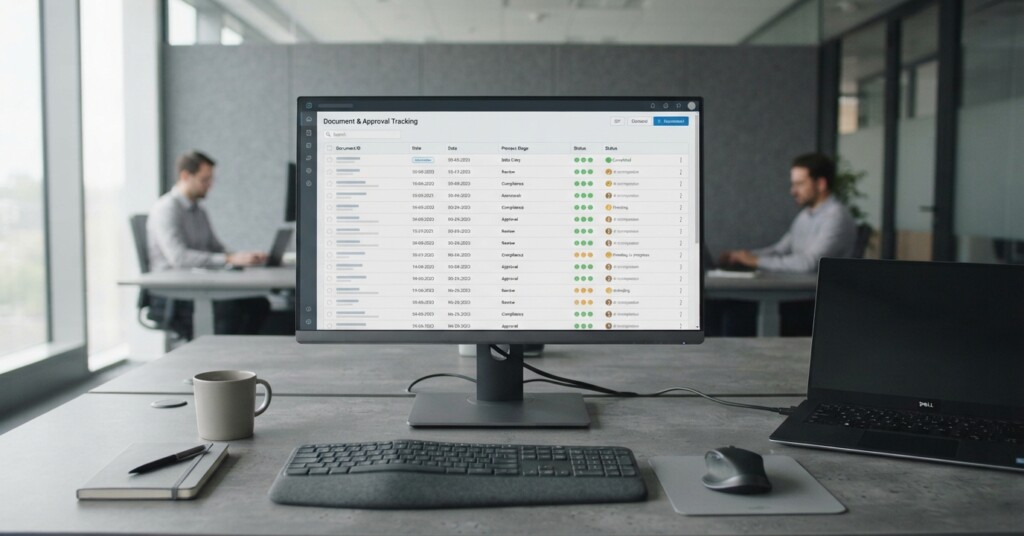
Approval bottlenecks cost businesses more than just time. When invoices sit in email inboxes waiting for a manager’s sign-off, or purchase orders get lost in a chain of forwarded messages, the downstream effects compound quickly: late payment penalties, strained supplier relationships, missed early-payment discounts, and finance teams spending hours chasing confirmations instead of doing analytical work. For small and mid-sized businesses, these problems are especially acute because there is rarely a dedicated process team to build and maintain custom workflow software.
The good news is that automating approval workflows for invoices and purchase orders no longer requires a development team, a six-month implementation project, or an enterprise software budget. Modern no-code and low-code platforms, combined with cloud-based accounting and ERP tools, make it practical for finance and operations teams to build robust, auditable approval processes themselves. This article walks through how to approach this practically — from mapping your current process to choosing the right tools and avoiding common mistakes.
Why Manual Approval Processes Break Down at Scale
Most businesses start with a simple approval process: someone creates an invoice or purchase order, emails it to a manager, the manager approves it, and accounts payable processes it. This works reasonably well with low transaction volumes. As the business grows, however, the cracks appear quickly. Different departments have different approval thresholds. Some vendors require faster turnaround. Finance needs a clear audit trail. The original manager is now approving fifty documents a week via email, with no easy way to track what has been approved, what is pending, or what has been rejected and why.
Stop building consolidations in spreadsheets.
BrizoConsol automates multi-entity consolidation — setup in minutes, reports the same day.
A common pattern in growing SMEs: invoice approval lives entirely in one person’s email inbox. When that person goes on leave, the entire payables process stalls. Automating the workflow removes that single point of failure and gives the whole team visibility.
Beyond the operational chaos, manual processes create compliance and audit risks. If your business is ever reviewed by an auditor or needs to demonstrate internal controls, a trail of approval emails is a poor substitute for a structured workflow with timestamps, role-based permissions, and documented decision records. Automating approvals solves both the operational and the governance problem simultaneously.
Mapping Your Current Process Before You Automate Anything
Before selecting any tool, spend time documenting how approvals actually work today — not how they are supposed to work in theory, but what really happens. This means identifying every document type that needs approval, who is currently authorised to approve at different value thresholds, what information approvers need to make a decision, and what happens after approval (which system gets updated, who is notified, what document is filed where).
For purchase orders specifically, you will likely find that different categories of spend have different rules. A marketing team purchasing ad spend may need approval from both a marketing manager and the CFO if it exceeds a certain threshold, while routine office supply orders may only need a department head to sign off. Capturing these rules explicitly is the foundation of any automated workflow — if your rules are ambiguous in the manual process, they will be ambiguous in the automated one too.

The Right Tools for No-Code Approval Automation
Several categories of tools can handle approval workflows without requiring custom development. The right choice depends on where your documents originate, which accounting or ERP system you use, and how complex your approval rules need to be.
- Workflow automation platforms such as Microsoft Power Automate, Make (formerly Integromat), or Zapier can connect your document sources to approvers and downstream systems using visual, no-code interfaces.
- Purpose-built accounts payable automation tools like ApprovalMax, Tipalti, or Airbase are designed specifically for invoice and PO approvals and integrate directly with accounting platforms like Xero and QuickBooks.
- Document management platforms with built-in workflow engines, such as SharePoint or Box, can handle structured approval routes with notifications and version control.
- ERP systems including NetSuite, Odoo, and SAP Business One often include configurable approval workflow modules that can be activated without development work.
- E-signature and document routing tools like DocuSign or Adobe Acrobat Sign support sequential and parallel approval chains with full audit trails.
For most SMEs using cloud accounting software, the fastest path to functional approval automation is a tool that integrates directly with your existing accounting platform. If you are on Xero, for example, ApprovalMax connects directly and lets you build multi-stage approval rules in a drag-and-drop interface. Approvers receive email or mobile notifications, can approve or reject with a comment, and the approved document flows automatically back into Xero without anyone needing to re-enter data.
| Tool Category | Best For | Integration Complexity | Typical Cost Range |
|---|---|---|---|
| Purpose-built AP automation | Businesses already on Xero, QuickBooks, or similar | Low — pre-built connectors | £30–£150/month |
| General workflow platforms (Power Automate, Make) | Businesses needing custom logic across multiple systems | Medium — requires configuration | £10–£50/month plus time |
| ERP built-in workflows | Businesses already on NetSuite or similar ERP | Low — same system | Included or add-on fee |
| Document platforms (SharePoint) | Businesses heavy on Microsoft 365 | Medium — setup required | Included in Microsoft 365 |
| E-signature tools | High-value contracts requiring formal sign-off | Low to medium | £20–£100/month |
Building Your First Automated Approval Workflow: A Practical Example
Consider a wholesale distributor with a finance team of three people, using Xero for accounting and processing around eighty purchase orders per month. Previously, POs were created in a spreadsheet, emailed to the operations manager for approval, then manually entered into Xero. The process took an average of three days per PO and had no consistent audit trail.
By implementing ApprovalMax connected to Xero, the team built the following workflow in a single afternoon: POs under £500 require approval from the department head only. POs between £500 and £2,000 require department head approval followed by finance manager sign-off. POs above £2,000 require both plus the director. Each approver receives an email with the full PO details and a one-click approve or reject button. Rejected POs return to the originator with the reviewer’s comments attached. Approved POs are automatically posted to Xero and the originator is notified.
The result was a reduction in average processing time from three days to under four hours, with a complete audit log of every decision. The finance team stopped chasing approvals by email entirely. This kind of outcome is achievable in days, not months, when the tool fits the existing stack.

Handling More Complex Scenarios
Not every approval process is straightforward. Some businesses need to handle exceptions — invoices that arrive without a matching purchase order (three-way matching), recurring invoices that should be auto-approved below a certain threshold, or invoices from new suppliers that require additional vetting. These scenarios can usually be handled within no-code tools through conditional logic.
Three-way matching — comparing the purchase order, the goods receipt, and the supplier invoice — is a standard control in procurement. Some AP automation tools support this natively. Others require a manual step or an integration with your inventory or warehouse management system. If three-way matching is a requirement, confirm that the tool supports it before committing, as bolting it on afterwards is significantly more work.
Do not automate approval of invoices without first confirming that your approval rules are explicitly documented and agreed upon by finance and department heads. Automated workflows that push approvals through without proper human review can create liability — particularly for large or unusual transactions. Automation should speed up good processes, not bypass necessary controls.
For businesses with multiple entities or operating across different currencies, approval workflows become more complex. You may need entity-level approval limits, consolidated reporting across entities, and currency conversion considerations. In these cases, a general-purpose workflow platform like Power Automate or Make often provides more flexibility than a purpose-built AP tool, though it will require more configuration time upfront.
Integrating Approval Workflows With the Rest of Your Data Stack
One of the most valuable aspects of automated approval workflows is that they produce structured, timestamped data about every transaction and decision. This data becomes genuinely useful when it flows into your reporting and analytics stack rather than sitting siloed inside the approval tool.
For example, connecting your approval workflow data to a reporting tool means you can track average approval times by department, identify which approvers are creating bottlenecks, monitor spend by category against budget in near real time, and flag when approval rates for a particular supplier or cost centre are unusually high or low. These are the kinds of operational insights that help finance teams move from reactive to proactive management.
If your approval tool does not have native reporting capabilities, most platforms expose their data via API or webhook, making it straightforward to push decision records into a data warehouse or business intelligence tool. This does require some technical configuration but is well within the capabilities of a data-aware operations team without needing software developers.
Common Mistakes to Avoid
- Building the workflow around the tool’s default configuration rather than your actual business rules — spend time on the mapping exercise first.
- Setting approval thresholds too high, so that the automation rarely triggers and most approvals still happen manually outside the system.
- Failing to train approvers — if approvers do not understand how to use the tool on mobile, they will revert to email and the workflow breaks.
- Not defining what happens when an approver is unavailable — always configure a delegate or escalation path.
- Treating automation as a one-time setup — approval rules change as the business grows, and workflows need periodic review to stay accurate.
- Ignoring the supplier side — if your PO approval process is fast but your payment terms communication is still manual, you have only solved half the problem.
Measuring Whether Your Workflow Automation Is Actually Working
Once your automated approval workflow is live, measure its performance against a baseline. The most useful metrics for invoice and PO approval automation are average cycle time from submission to approval, the percentage of approvals completed within your target timeframe (commonly 24 or 48 hours), the volume of exceptions or manually-routed documents, and early payment discount capture rate if your suppliers offer dynamic discounting terms.
These metrics should be reviewed monthly in the first quarter after launch. It is common to find that the first version of your workflow needs adjustment — approval thresholds that seemed right in theory turn out to cause bottlenecks in practice, or certain document types that were expected to follow the standard route actually need a different path. Iteration is part of the process.
Approval workflow automation is one of the highest-return automation investments available to finance teams at small and mid-sized businesses. The tools are mature, the implementation time is short, and the operational and compliance benefits are immediate. The barrier is not technical — it is taking the time to document the process clearly before touching any software. Once that groundwork is done, the automation itself is straightforward, and the results are measurable within weeks.
Need Help Connecting Your Approval Workflows to Your Wider Data Stack?
Whether you are setting up your first automated approval process or trying to integrate existing workflows with your accounting, ERP, or reporting systems, getting the data architecture right from the start saves significant rework later. Talk to us about how to structure your business data for scalable automation.